



We’re now offering free one click installs of MODX to all new and existing customers! MODX is a content management platform offering you the ability to build sites quickly, easily – and most importantly – creatively.
MODX is extremely versatile and has been a popular customer request, so we’re happy to tell you it can now be installed in seconds from your control panel.
Features
MODX’s many features include:
• Responsive design for both your site and your control panel
• Intuitive, highly customisable manager
• Search engine friendly out of the box
• Ability to password protect content across various levels of user access
• Excellent caching mechanism for fast loading
• Flexible add-on system
• Multi-lingual support
• No need to know PHP; make changes using HTML
• Active and enthusiastic community
Screenshots
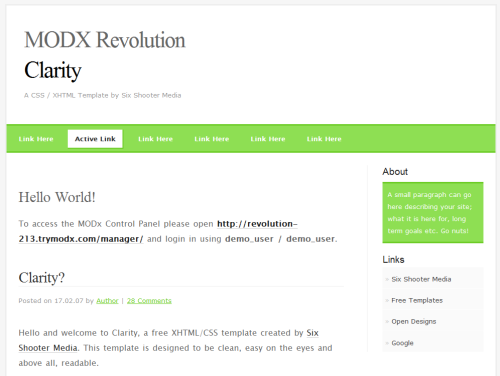 MODX in action
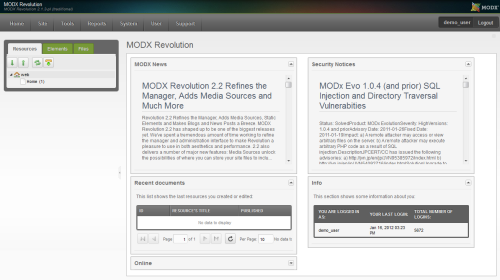 The MODX control panel
Demo
Give MODX a test run by accessing the live demo at https://www.trymodx.com.
Installing MODX
If you’re a Home Pro or Business Pro web hosting customer, simply log into eXtend and scroll down to ‘MODX’ to install via our one-click installer.
If you’re a reseller hosting customer, you’ll need to activate it for your hosting packages first by logging into the Reseller Control Centre and clicking ‘Configure Hosting Packages’. Once you’ve selected a package to edit, scroll down to ‘CGI/PHP Scripts’, check the ‘MODX’ box and save your changes by clicking ‘Edit Package’.
Enjoy MODX!


greatwork guys, just what i have been waiting for.is it the latest release from last month?
Hi Darren,
Thanks! It’s version 2.2.0.